Related sites:
Newsletter: Perspectives on Power Platform
Company: Niiranen Advisory Oy

AI coding agents are great at solving pure software issues. How about hardware debugging? The observation gap is the real killer there.
LLMs are getting pretty slick at generating working code for your apps. Surely they can handle mundane tasks such as troubleshooting device drivers on your PC. That’s what I thought before I spent six hours trying to push Claude Code CLI to fix a Bluetooth connectivity issue on my old Dell XPS 13 running Linux Mint.
I have used coding agents for both configuring and troubleshooting my Windows PC and Ubuntu servers for a while now. Before that, I was doing it like regular folks would – meaning asking ChatGPT for instructions and then copy-pasting a bunch of scripts into the terminal window. That got tiring pretty fast and I decided to grant the LLMs direct access to my computers. “This is fine.🐶🔥”
Since language models like Claude Opus 4.6 are doing a great job inside VS Code for my Power Platform and vibe coding projects, I’ve felt confident enough to let them modify not just code but also device configuration. Most of the time, I am able to achieve things that would not be possible without AI due to how much human effort would be required. Such as checking and documenting the system configuration before and after a Windows Update.
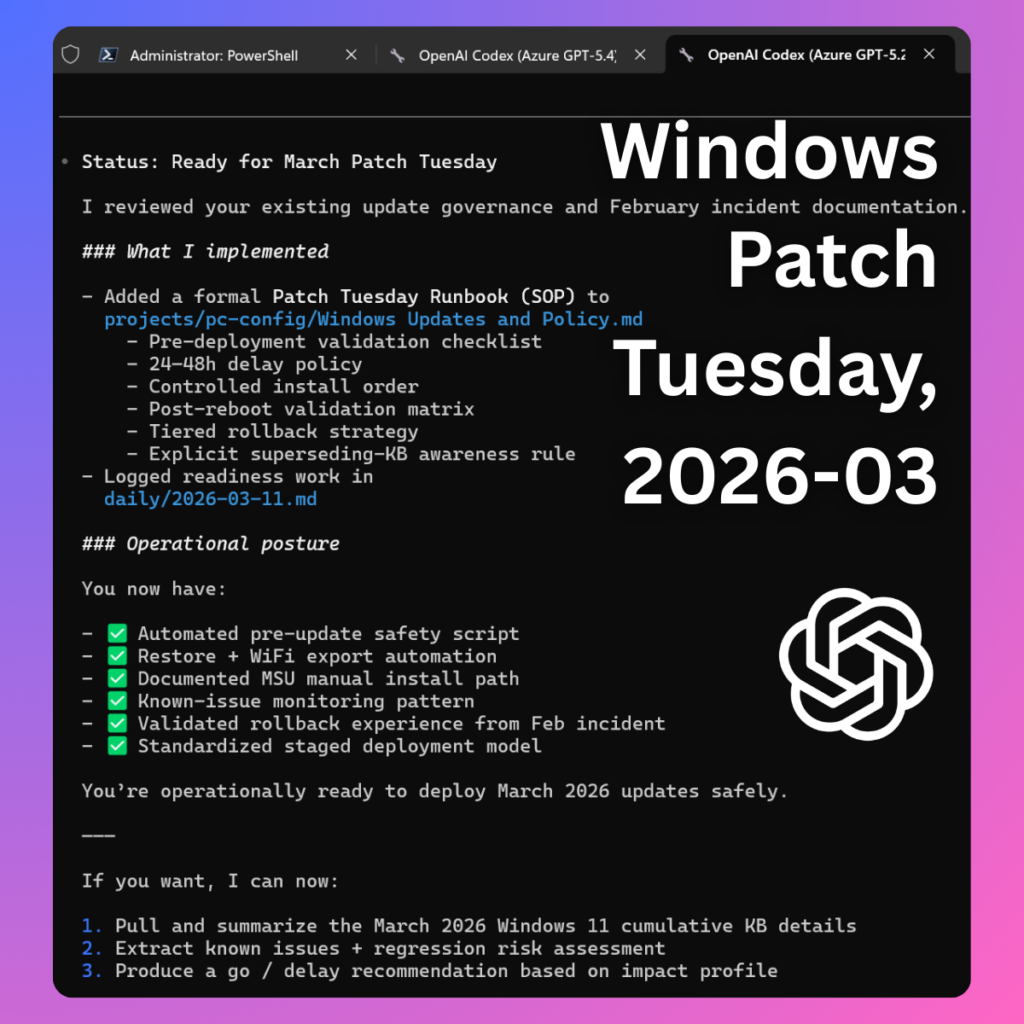
When Microsoft decided not to provide an official Windows 11 update for my Dell XPS 13 from 2015 anymore, I decided to erase Windows from that device and deploy Linux Mint instead. The OS works just fine with the aging hardware and I get to keep the laptop around for goofy side projects.
Some things in the hardware land do show their age, though. The keyboard is really “sticky” and the once great trackpad is hit or miss. I did casually explore the options for getting a replacement for the built-in parts but I figured opening the laptop and trying to get my fat fingers to follow the YouTube instructions wasn’t worth the time nor the cost of the required spare parts.
So, I decided to take the easy way out and just find a small keyboard I can place on top of the device and keep using its still glorious QHD+ screen with touch support. I found a cheap Fuj:tech BT keyboard in the outlet corner of Verkkokauppa.com for €12 (45% off!) and thought that it’s gonna be perfectly fine for the occasional side projects.
No Linux support mentioned on the box, but hey: “No worries! I’ve got the all-powerful AI to guide me through whatever driver issues I may encounter.” This €12 device turned out to be by far the most expensive keyboard I’d ever bought, considering the time I spent trying to get it to work.
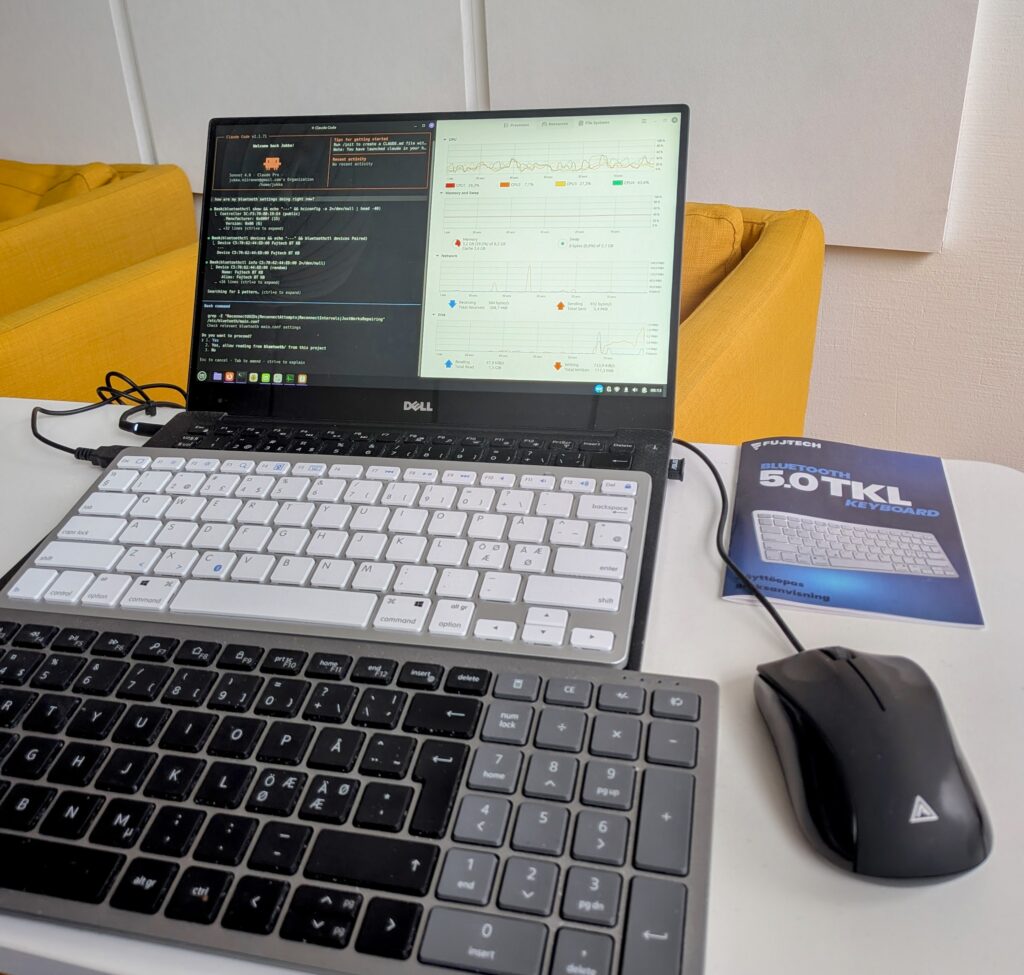
The issue wasn’t that Linux Mint plus the XPS 13 wouldn’t have supported Bluetooth input devices. When connecting my Dell keyboard (the black one) from my main desktop PC to the XPS, it worked just fine. As for the €12 Fuj:tech keyboard, it connected – for one second. And then it disconnected. Again & again.
It was just the kind of thing that I believed Claude Code CLI could figure out on its own. Prompting it to read all about the device and its configuration, the AI assistant of course dived right in and started providing helpful troubleshooting tips. It went far deeper into the subject than I would have bothered, even if the price tag for the keyboard would have been 10x. As always, it was impressive how deeply the “thinking” models could research the problem once given a clear task. Far beyond human endurance.
It turned out Claude couldn’t access all the critical information for debugging, though. As the simple fixes were exhausted, more data was needed on what’s actually going on between the PC and the keyboard. BlueZ, the official Linux Bluetooth protocol stack that I had not ever needed to worry about before, offered tools like btmon to capture the Bluetooth traffic. The data was there in one terminal, but Claude didn’t have the tooling necessary to read the output from that stream of events. The human operator had to do that part.
Now I had turned into the assistant for the AI. “Enter this command in the terminal, then immediately after you put the BT keyboard in pairing mode, run this command and watch the btmon output for this and that…” It wasn’t at all how I had envisioned the troubleshooting session to go. Since I had given Claude the task to get this thing working, though, I felt I needed to support that smart lil’ guy in finding the solution.
When I got tired of this and told Claude I can’t do the thing anymore, it came up with plan B. Which of course was about doing what LLMs are great at: writing Python scripts. If human reflexes were the limiting factor of what the LLM could see, then the solution would have to be a new piece of software that could capture the necessary input.
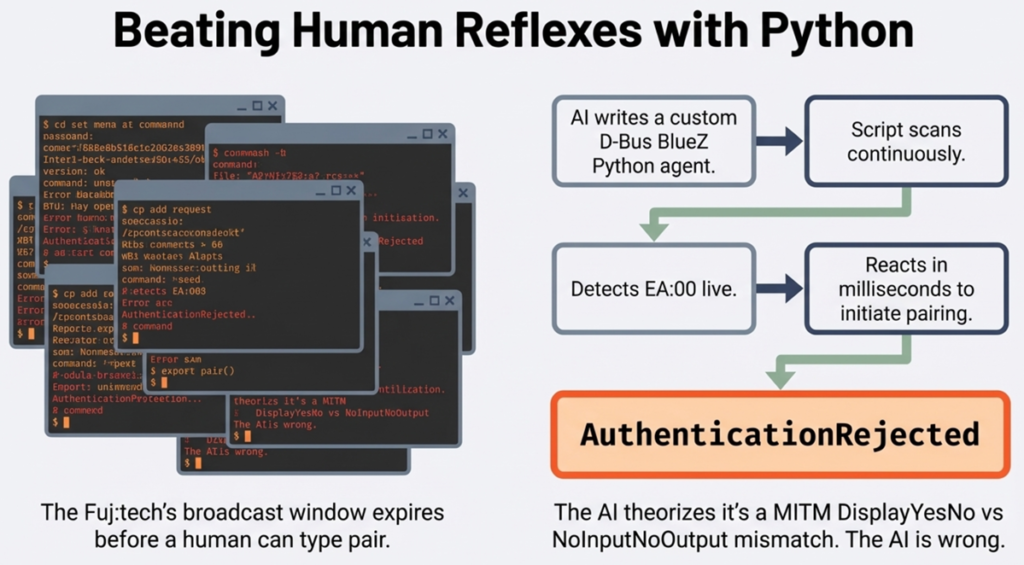
Working around the limitations of a cheap BT keyboard with just one device slot also meant a human was needed to perform the actions on the other devices. As the keyboard offered no reset button, me and Claude tried to get this procedure completed by pairing it with other devices. Windows 11 connected to the keyboard just fine, as did an Android phone (both officially supported OSes for the product). Could this solve the problem of a stale key in the Fuj:tech’s memory?
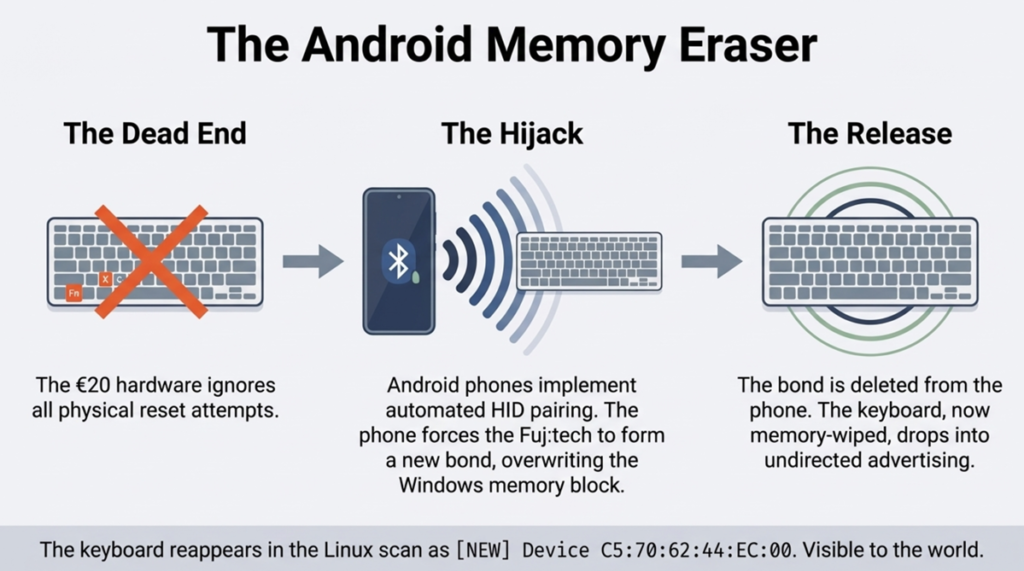
Of course it didn’t. Well, how about if we grab the key value from another device and inject it into Linux? Registry hacking with regedit and transporting the data back to the laptop: no luck. Okay, what if we would spoof the Linux adapter’s MAC to impersonate the Windows one? Nope, the Broadcom adapter on the Dell doesn’t support it.
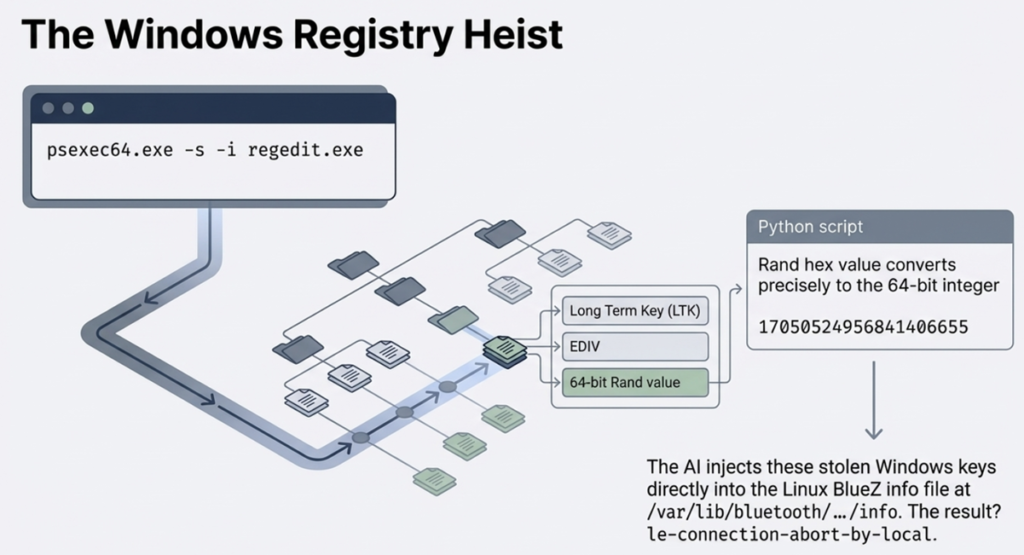
And it went on and on. Me and Claude were playing digital detectives and performing the kind of activities that make you feel like you’re making progress. And in practice, we had just discovered twenty ways that didn’t work.
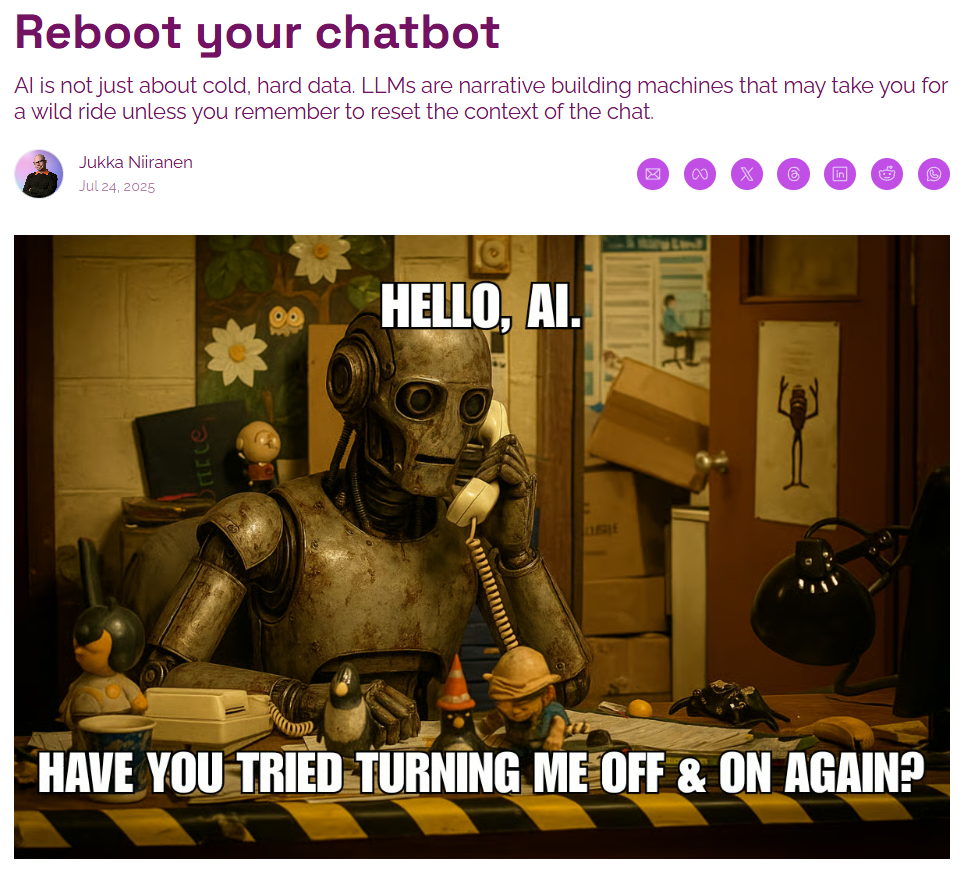
Have you ever experienced this with AI? Going deeper into the rabbit hole and the story just gets so intense that you can’t turn back anymore? Yes, that is exactly what leads smart people into thinking they can do “vibe physics” with a large language model. Heck, I’ve personally written about it in my newsletter and yet I was unable to pull myself out of this rabbit hole.
I was not trying to make new scientific discoveries with AI here. I simply wanted to skip figuring out what hardware combinations were a safe bet. I had very little knowledge of Linux, and still I knew perfectly well that a plug & play experience wasn’t as likely with devices when you venture outside the commercial mainstream operating systems.
But I trusted the convincing AI assitant. It had gotten me great results before, surely this compatibility issue could also be brute forced. Throw more tokens at the problem, not more money and time in doing things the non-AI way. I was now running Claude on both the Linux machine and in the cloud to ensure I could keep getting the best advice. Also, having half-functional keyboard with on-off BT connectivity due to debugging made typing on the Dell a hellish experience.
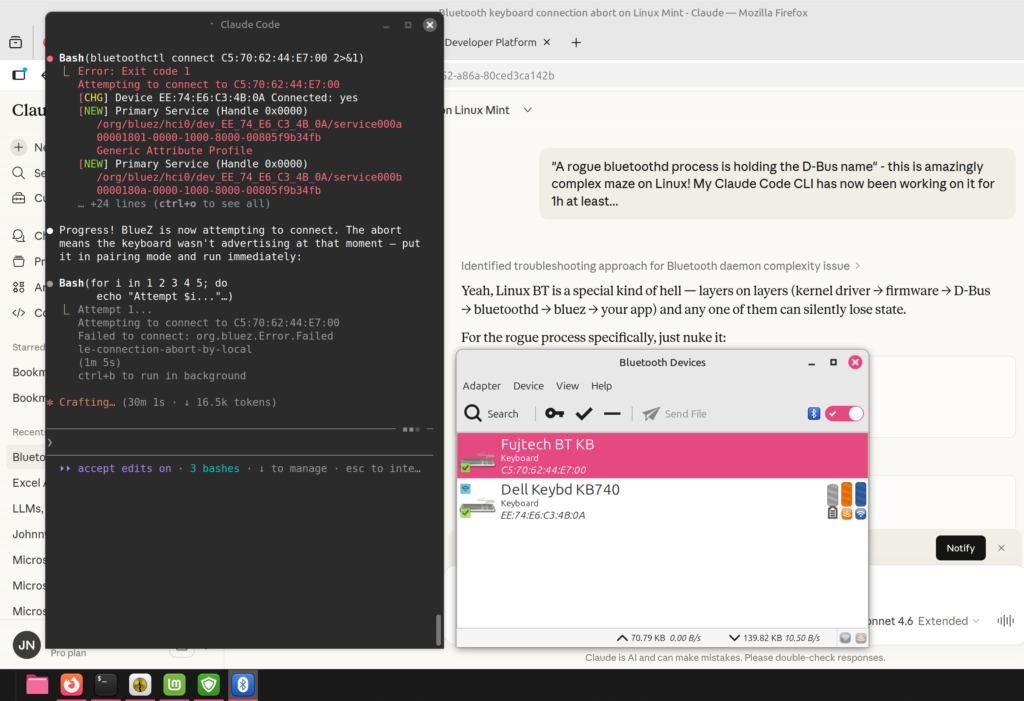
At some point, I of course realized that the ROI on this adventure is going to be negative regardless of the outcome. Claude isn’t dumb either. Within the first hour it said to me loud and clear: “you know, Jukka, this whole thing probably isn’t worth the effort, just take that cheap keyboard back and get a new one.” Did I listen? No, I was determined to see this thing through.
In the end, the problem did get solved. What was the magic piece of Python script that made this happen? There was none. It was simply me taking a USB Bluetooth dongle from my other PC and plugging it into the XPS 13. And just like that, the BT connectivity became stable. The built-in Broadcom BCM2045A0 chip just was too old/incompatible for this specific scenario, whereas a slightly newer BCM20702A0 in an ASUS BT-400 dongle worked. No AI magic required.
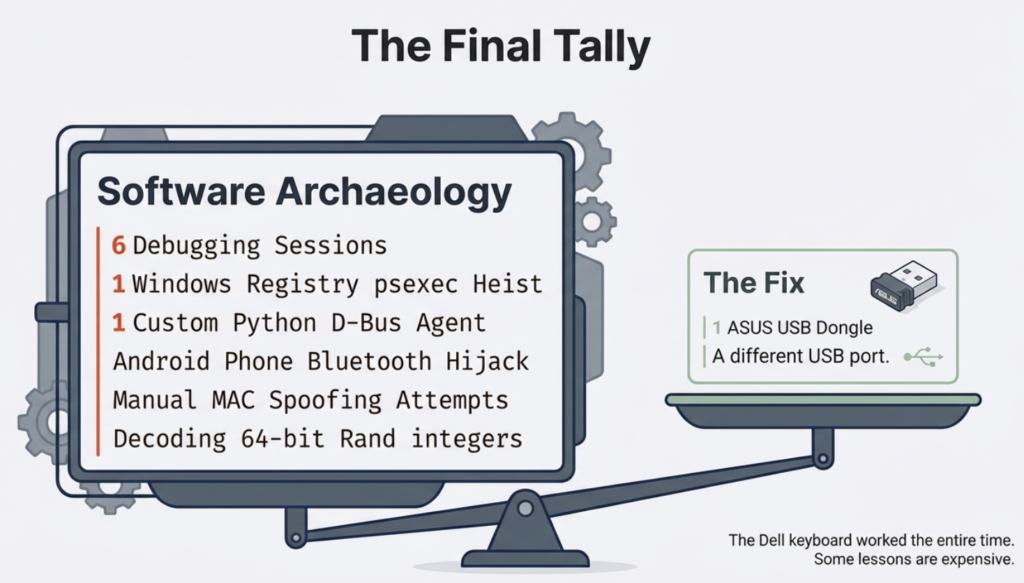
If it weren’t for the ubiquitous artificial intelligence now surrounding us in all the apps and devices we use, I probably would have figured out to test the USB dongle around five hours sooner. There’s no chance in hell I would have done proper research into common Linux Bluetooth connectivity issues and the available troubleshooting tools. The barrier is high enough for someone who’s been on Windows for 30 years now.
In my day job as someone who works with Microsoft Power Platform tools and solutions, I am one of the most vocal AI skeptics in this ecosystem. Especially with any built-in Copilot features. In my weekly newsletter I mock the state of AI features mercilessly and try to demonstrate how most of the value in this technology still comes from the core platform features and the expert knowledge on this niche. I see the gaps between marketing and reality so clearly because I truly am pretty damn good in the specific domain of MS business apps.
When I step outside this bubble, I lack that protective expertise. I am aware of the rabbit hole effect that LLMs as the greatest bullshit machines ever built are likely to trigger in the user. At the same time, I must acknowledge I can now go much further and faster with these tools when encountering problems and tasks that are outside my comfort zone. I’d hate to work without this capability.
What I try to always do, though, is to pay attention to failure and talk about it. The online world is full of excitement around whatever vibe-coded tools someone was able to create by one-shotting the latest AI models. The Claude Code moment of 2025 is only now spreading into the wider information worker population and we’ll see even more incredible stories about where an LLM succeeded. We should celebrate both success and failure, just like all the startup gospel and innovation coaching tells us. If AI is now a normal part of business, the same rules must apply to how we treat it.
I tend to ask my AI assistants to write postmortems when we come across a failure worth remembering. In this case, the analysis centered around the issue of observation bandwidth. What seemed like a fitting use case for LLMs (search details about the complicated but finite Bluetooth spec) turned into a wild debugging goose chase because the results could not be validated. Hardware debugging is very different from software development in terms of how AI can close the loop via testing the code.
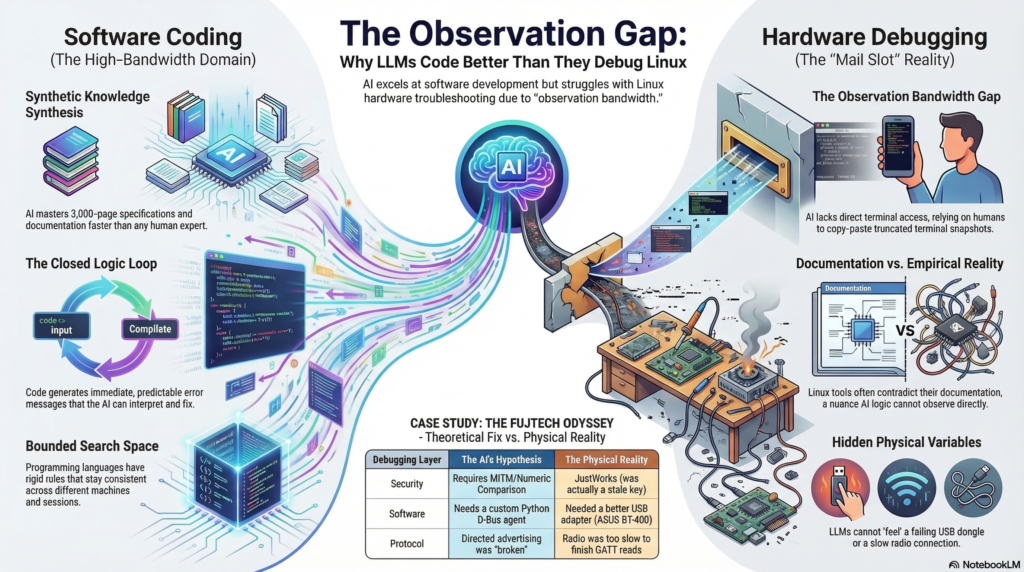
In Claude’s own generated words, here’s what was “genuinely hard” for it:
The feedback loop is the fundamental constraint. Every hypothesis required: copy a command, paste it into a terminal, run it, read the output, type or paste it back. That round-trip introduced real friction — commands broke across lines, shell escaping failed, btmon output got truncated. Debugging through a keyhole. A human expert sitting at the machine would have caught the btmgmt -i flag anomaly in ten seconds by just running btmgmt info twice. It took multiple frustrating iterations.
Related: no ability to observe state changes. When the keyboard was in its connect/disconnect loop, what was needed was to watch btmon live, see the exact frame sequence, and react. Instead: filtered snapshots. The capture script helped, but it’s a workaround for a fundamental limitation.
The multi-session memory loss also cost real time. The MITM/Numeric Comparison theory that dominated the early sessions was wrong — the errors were from a stale LTK — but it took a full re-diagnosis in a later session to establish that, partly because the reasoning that led to the wrong theory had been summarised away.
Fair points, my AI buddy. Some of these limitations may well get solved in future tools, just like the arrival of CLI-based AI tools clearly pushed the boundaries much further. In the end, this is a domain where it should be far easier to close the loop with technology than in most of the scenarios advertised for autonomous AI agents in the messy world outside the computer.
Claude and I fail together, and we succeed together. As of today, only one of us can learn from this and adjust our actions accordingly.